Seven Things You Can Do on the Free Plan (that you probably aren't)
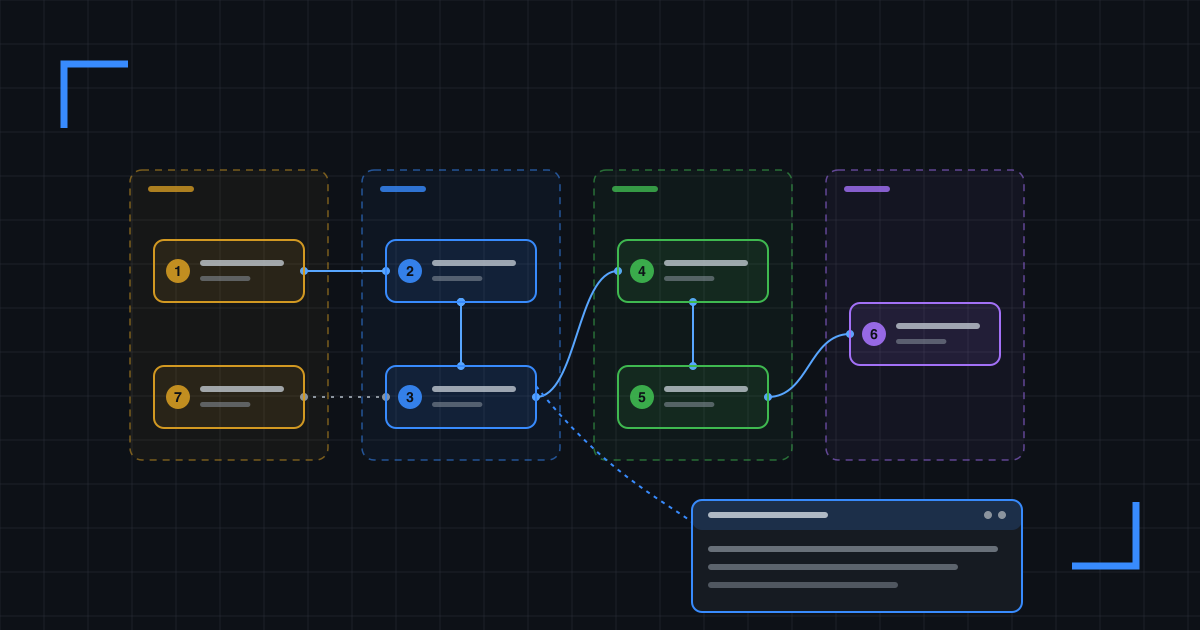
Blueprintr is free. Properly free: unlimited blueprints, public or private, with no trial clock ticking down in the corner.
So here are seven things you can do with it today without paying a penny. I’ve also put all seven into a blueprint, because of course I have. Click any box and the detail pops up.
1. Don’t redraw what you already have
You’ve probably got a folder of draw.io files somewhere, last touched by someone who left in 2022.
Go to Dashboard → Import and drop them in. That’s up to 25 at a time on the free plan, 5 MB each, and Blueprintr converts them into diagrams you can edit. The plain conversion is free and always runs.
Anything it can’t convert comes across as an image, so nothing gets lost… you can redraw it properly later, when you’re feeling brave.
2. One view per tab
A blueprint can hold up to 20 tabs, and every diagram tab picks its own engine: Vellum, draw.io, Excalidraw or Mermaid. Mix and match.
Your context diagram in Vellum, the request flow as a Mermaid sequence, the network diagram you just imported… all in one blueprint, instead of three files with three owners and three different “last updated” dates.
One tip: people miss tab strips. If tab three is the important one, say so on tab one.
3. Put the detail ON the shape
This is why Blueprintr exists in the first place, so humour me.
Every diagram eventually grows a wall of text boxes, with lines routed around them and a sticky note saying “see page 9”. Just… yuck.
A stratum is a note bound to a single shape. Hover over the shape for half a second and you get a preview. Click it and the full note opens in a window you can move, resize or dock. Config snippets, decisions, runbook steps… they go on the box they’re about, and the diagram gets to stay a diagram.
Click any box in the blueprint above. That window is a stratum.
4. Check your portfolio before you hit publish
This one catches out every new account.
Your Main portfolio starts out private, and a portfolio caps everything inside it, so your first public publish gets refused. Open the portfolio on your dashboard, hit the gear icon and set Visibility to public.
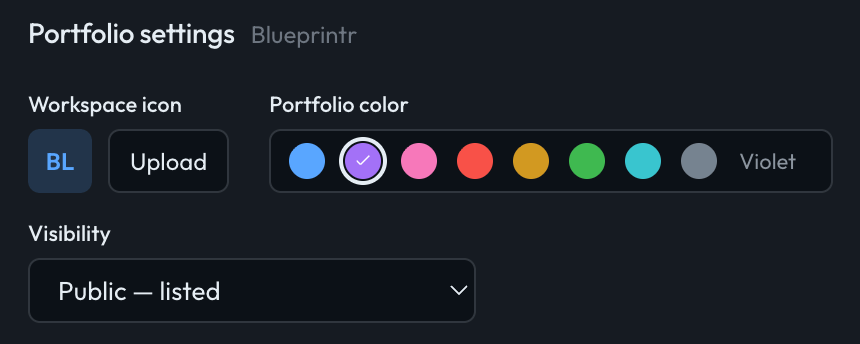
Then choose the blueprint’s own visibility. Just remember unlisted is hard to guess, but it is not protected.
5. Embed it where people actually read
Your team spends its day in the wiki, the README and the ticket queue. So put the diagram there.
Actions → Embed on any blueprint, pick where it’s going, and you get a snippet ready to paste.
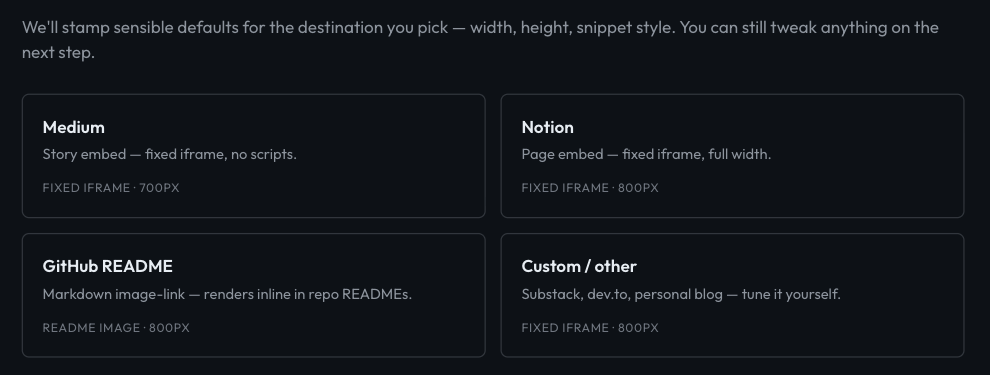
The next step lets you set the size, pin the theme and untick any tabs you don’t want. The thing at the top of this post is exactly that.
6. Make it a template
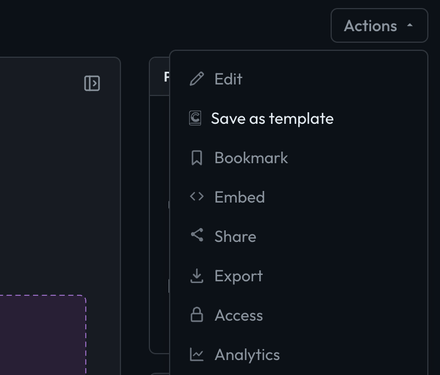
Got a layout you like? Actions → Save as template. Personal templates are free, and starting from one gives you a private draft with everything copied over.
Future you will be grateful.
7. Learn the shortcuts
In the Vellum editor, ⌘K searches every shape, icon and command. Type “database” and you get database icons from AWS, Lucide, Microsoft Fabric and the rest.
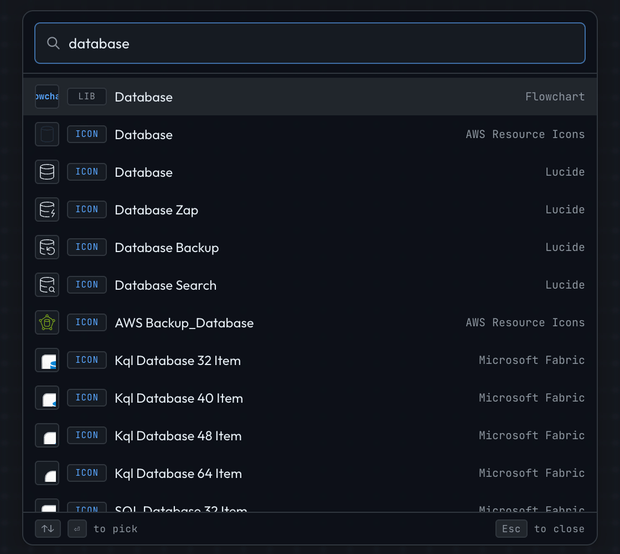
Everywhere else on Blueprintr, ⌘K (or /) searches the titles and bodies of everything you can see. The Shortcuts tab in the blueprint above has the rest.
Go and try it
Head over to https://blueprintr.io, import something you’ve already drawn, and stick a stratum on one of the boxes.
Questions or complaints: josh@blueprintr.io